 ThemeStore
Store
Docs
FAQ
App grids and lists
One element covers the dock, the home grid and the full app list; the difference is a handful of properties.
On this page
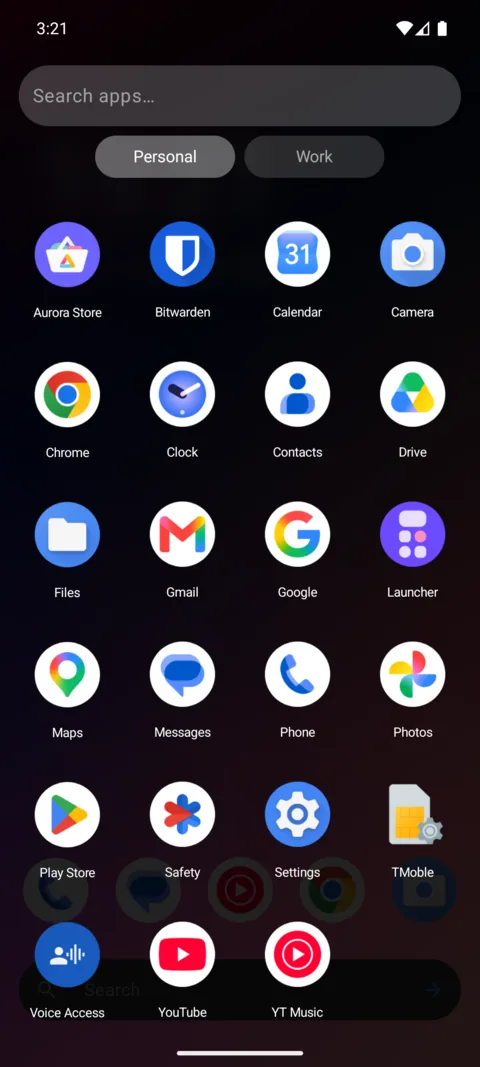
+ → App grid is the element that shows apps, and one type covers all of it: a four icon dock, a paged home grid, and a scrolling A-Z list. What it becomes is decided by three fields in Behavior: Layout, Mode, and the slots.
Apps in a work profile or Private Space need a little more thought than the rest; see work profiles and Private Space.
Grid or list#
Layout: grid arranges icons in columns with the label underneath. Layout: list stacks them vertically, icon left and label right, scrolling. That is the shape a minimal, list first launcher is built from.
List mode adds its own properties: rowHeight, labelGap, showSectionHeaders for the A/B/C dividers, and showSettingsEntry for a settings row after Z.
Where the apps come from#
Mode picks the source:
- All: every installed app, in the order Sort by chooses. The full app list.
- Manual: exactly the slots you filled, in order. Docks and favourite rows.
- Library: the reader's own arrangement, maintained by the launcher.
appSlots is a JSON array inside a string, holding package names, role names, or folders:
"appSlots": "[\"role:default_phone\",\"com.android.chrome\",\"\",\"folder:media\"]"An empty string is an empty cell. role: entries point at whatever app the user has chosen for that job. Prefer them in anything you publish, because a package name that is not installed leaves a hole. Every accepted form is listed under app slots.
Folders#
A slot may hold a folder instead of one app:
"folder:{"name":"Media","apps":["com.example.music","com.example.video"]}"It occupies one cell and opens in place when tapped. Folders maintain themselves: take apps out until one is left and the slot becomes an ordinary app slot; take the last one out and it becomes an empty cell. There is no way to end up with an empty folder sitting in a grid.
Pinned shortcuts#
A slot may also hold a web app or bookmark that a browser added to the home screen. It is written as one opaque token, and nothing needs to understand it to move it around:
"shortcut:com.android.chrome#aHR0cHM6Ly9leGFtcGxlLm9yZw"Do not write these by hand and do not publish them: the identifier is valid only on the device that holds the pin. Export and publishing strip them out for you. What such an entry does in a grid, and how a filter formula recognises one, is in web apps and pinned shortcuts.
A role slot moves with the icon#
When the reader drags an app into a slot that holds a role, the role goes with it rather than being overwritten. A dock built on role:default_browser stays "the browser slot" after somebody rearranges it, which is why a published dock should be built on roles even though package names would also work on your device.
For a manual grid that should still eventually show everything, appendAllApps continues alphabetically after the pinned slots, so a favourites row scrolls seamlessly into "all apps". autoFill is the other direction: a manual grid that materialises itself with every installed app across as many pages as it needs on first load, then stays fully manual.
Dragging apps#
A reader can rearrange a manual grid by long pressing an icon and dragging it. Two fields decide how far that goes.
Movable, on an element, allows dragging it on the normal home screen rather than only in the editor. It is off by default, which is usually right: a layout that can be nudged by accident stops being the layout you designed.
Opens on app drag, on a page, decides whether holding a dragged app against the screen edge flips to that page. Leave it on for pages an app could sensibly land on, and turn it off for a feed or a settings page, where flipping to it mid drag is only in the way.
Dragging works across pages: the drag survives the page changing underneath it. A drop lands in the nearest cell of whichever grid is under the finger, which is what makes a dock and a grid that touch each other behave sensibly instead of fighting over the boundary.
Two behaviours that matter for a published theme. A slot holding a role keeps its role when the reader drops a different app into it, so a dock stays "the browser slot". And dropping one app onto another makes a folder.
Filtering and trimming#
filterFormula is evaluated per app, with app_name and app_package in scope:
$!startsWith(app_package, 'com.example.')$maxItems caps the number shown, skipItems drops the first few. Together they let a page show "the first four apps here, the rest over there" out of one source.
Height#
A grid scrolls itself by default. Inside a list container that would be two scrollable things fighting over one finger, so set autoHeight and the grid becomes exactly as tall as its rows; the container does the scrolling. height is ignored in that mode.
Letters down the side#
The A-Z scrubber is not a special element. It is a repeater with scrubVariable set: dragging along it writes the letter under the finger into that variable, and a list with a matching filterLetterVariable shows only that letter's section while the finger is down, then reveals the rest when it lifts.
Because it is a repeater, the letters are ordinary elements: the wave, the bubble and the fade are formulas over scrub_pos, scrub_press, scrub_vis and scrub_over, and you can replace all of them.
Icons#
iconPackId overrides the theme's icon pack for this element ("" uses the active pack, "none" uses none). iconTint recolours pack icons. The mask on system icons, iconShape, is theme-wide rather than per element, because a home screen with two icon shapes on it reads as a mistake.
Badges#
Notification badges are drawn per element and are entirely formulas, so a theme can decide what a badge looks like:
"badgeMode": "$app_badge > 9 ? 'count' : 'dot'$",
"badgeColor": "'#FFEA4335'",
"badgeSize": "16"
app_badge is available to every formula in the element. Badges need notification access; notification_access tells you whether it has been granted, so a theme can draw its own prompt and have it disappear once it is; see notification badges.
Surviving updates#
A theme carries two things in one file: what you built, and what the person using it arranged. When you publish a new version, the launcher does not simply overwrite their copy. It compares three versions — the one they installed, what they made of it, and yours — field by field. A grid they never touched takes your new slots; a grid they filled themselves keeps theirs. The same goes for their wallpaper, their icon pack and any theme variable they changed.
Their slots are recognised by the grid's id. That is enough as long as you keep it. If you rebuild a grid from scratch, it gets a new id, and their apps have nowhere to go. Give such a grid a slotSetId instead and the arrangement follows the name rather than the identity:
{ "id": "dock-v2", "type": "app_grid", "appMode": "manual", "slotSetId": "dock" }The same machinery carries the themes that ship with the app. Each of them has a store listing of its own, and a device compares what it carries against what that listing offers. A downloaded version is treated exactly like any other theme from the store: it runs hardened, because a file from the network is a file from the network, whoever wrote it.
Two rules follow from this:
- Keep
idorslotSetIdstable across versions. The upload check compares your new version against the previous one and warns you about every anchor you drop. It is a warning, not a refusal — sometimes removing a grid is exactly what you meant. - Prefer roles over package names in the slots you ship (
role:default_browserrather than a specific browser). A role is resolved on the device, so it is right for everyone and there is nothing to merge in the first place.
Anything that cannot be placed is reported to the person before they confirm the update, so nothing disappears quietly. Hand-made folders are the exception that gets rescued: an app whose slot is gone is still in their app list, but a folder they built by hand exists nowhere else, so it is appended to the last auto-fill grid instead of being dropped.
Documentation for launcher 0.1.0-alpha Android 12 and later last updated