 ThemeStore
Store
Docs
FAQ
Installing and browsing
For readers rather than authors: finding a theme, what the trust prompt is asking, and what the store keeps track of.
On this page
Most of this manual is for people building themes. This page is for the other side: finding one, installing it, and understanding the one question the launcher asks while you do.
Finding something#
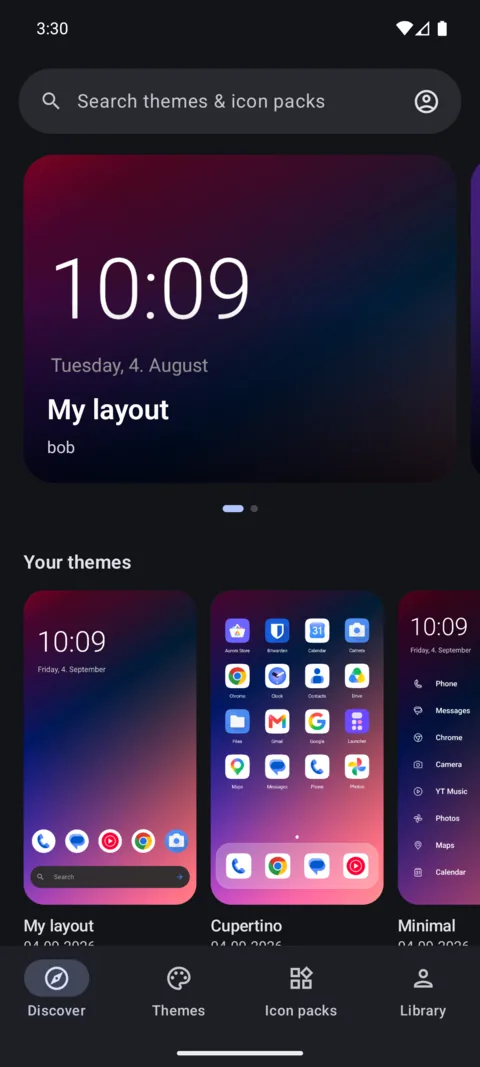
The store is browsable in the app and on this site, and the two show the same listings. Categories are the coarse axis, eight fixed styles, and tags are the fine one. Trending is computed from a rolling history rather than from a total, so a listing from last year does not sit on top forever.
Every listing keeps its version history, so you can see what changed and when before you install an update.
The trust prompt#
A theme you install from elsewhere is untrusted. It still works, because untrusted is the normal state rather than a warning, but the launcher filters what it may open: only ordinary addresses (http, https, mailto, tel, sms, smsto, geo, market), and custom intents lose the parts that could steer another app.
You are only asked something when a theme wants more than that. The prompt then names the scheme it wants to use and lets you decide. Two things are worth knowing about it:
- It is rare on purpose. Themes from this store never contain those schemes at all: they are rejected on upload, not hardened. A prompt therefore means the theme came from somewhere else, or was hand-edited.
- A theme cannot run code. Whatever you decide, a theme is a document: it describes pages and elements, it cannot execute anything, read your files, or reach the network on its own. What the prompt governs is which addresses it may ask the system to open.
A theme you built yourself is trusted and never asks.
What travels with a theme#
A theme brings its own pages, elements and layout. It does not bring your wallpaper, and it does not bring apps. An icon that points at an app you do not have simply shows nothing, which is why themes built on roles rather than package names survive better across devices.
If a theme names an icon pack you do not have installed, it falls back to system icons silently. It will look like a different theme, not a broken one.
If a theme leaves you stuck#
The sheet with Open editor, Themes and Settings belongs to the theme, not to the launcher: a theme decides which gesture opens it, and a theme can forget to offer one at all. That never locks you out, because the same options open as a full screen from two places no theme controls:
- The launcher's entry in your app list. Its icon leads straight there, which is also where Set as default launcher sits while another launcher is still in charge.
- App settings in the system app info screen. Long press the launcher's icon, choose App info, then App settings. Not every manufacturer's settings app shows that entry, so the app list is the reliable route.
From there, Themes switches to another theme and Reset theme returns to the one the launcher ships with. Nothing you installed is lost by switching.
Reviews, collections, authors#
- Reviews. One rating per person per listing, editable afterwards. Authors can reply once in public. Reviews that trip the abuse checks are held for a moderator rather than published straight away, so a listing cannot be buried in an afternoon.
- Helpful. Marking a review helpful is what orders them, rather than recency alone.
- Collections. Your own lists of listings, private or public, which is the easiest way to keep "themes to try" separate from "themes I use".
- Following. Following an author puts their new releases at the top of the browse page. That row is account-bound and is not cached on the device, so it is right the moment you follow somebody.
Reporting something#
Every listing has a report action for content that does not belong in the store. If you are a rights holder and the problem is copyright, the notice and takedown form is the right route and does not need an account. Both go to a moderator, and an upheld copyright notice costs the uploader a strike; see licensing.
Documentation for launcher 0.1.0-alpha Android 12 and later last updated