 ThemeStore
Store
Docs
FAQ
Work profiles and Private Space
Apps that live in a separate profile, the locks in front of them, and the notification badges a theme draws itself.
On this page
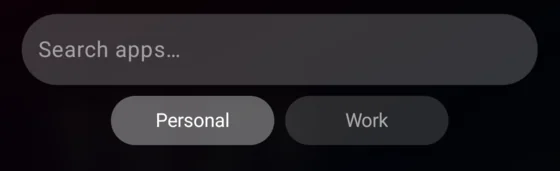
Android can keep a second set of apps beside the personal one: a work profile, managed by an employer, and a Private Space, which the user locks themselves. A launcher sees both, and a theme decides how to present them, or whether to at all.
Which profile an app is in#
Inside an app field, app_profile is personal, work or private. That is enough to split one list into sections, tint work apps, or filter a grid down to one profile:
app_profile. A theme can just as well tint, sort or hide."filterFormula": "$app_profile == 'personal'$"The locks#
A profile can be paused or locked, and then its apps cannot be launched. Four variables describe the situation, so a theme can draw its own lock row instead of showing a section of icons that do nothing:
| Variable | Meaning |
|---|---|
work_profile_available | A work profile exists on this device. |
work_profile_locked | It is currently paused. |
private_space_available | A Private Space exists. |
private_space_locked | It is currently locked. |
private_space_hidden_when_locked | The user chose to hide it entirely while locked. |
The last one is the important one. When it is set, a locked Private Space must not be visible at all: not as a greyed-out section, not as a lock button, not as a hint that there is something to unlock. The point of that setting is that somebody looking at the phone cannot tell the space exists. Gate the whole section on it:
"hidden": "$!private_space_available || (private_space_locked && private_space_hidden_when_locked)$"The unlock_profile and lock_profile actions do the unlocking, and private_space_settings opens the system screen for the rest.
A theme cannot see more than it is shown#
An untrusted theme cannot start an app in another profile at all, and open_app with a package name will not tell it whether that package exists in a work profile. That is deliberate: a bare package name should not become a way to find out what somebody has installed at work. A theme you built yourself, or one you explicitly trusted on import, is not filtered this way.
Notification badges#
Badges need notification access, which is a permission the reader grants once. Until they do, notification_count and app_badge are 0 for everything, which looks exactly like "no notifications", so a theme that shows badges should say why they are missing:
"hidden": "$notification_access$",
"clickActions": "[{\"trigger\":\"tap\",\"action\":\"notification_access\",\"value\":\"\"}]"
That is a row that appears only while the permission is missing and opens the permission screen when tapped. Once granted it disappears on its own.
Badge appearance itself is per element and entirely formulas; see app grids.
Documentation for launcher 0.1.0-alpha Android 12 and later last updated