 ThemeStore
Store
Docs
FAQ
Formulas
The expression language: where it runs, what it can read, and why almost every property is a string.
On this page
Almost every property of an element is a formula, not a fixed value. That is why sizes, colours and positions are written as strings in the theme file: "fontSize": "16" is a formula that happens to contain only a number.
The $…$ rule#
A field is read as literal text until a $ opens an expression. Everything until the closing $ is evaluated, and the result is put back into the text:
Good morning, it is $round(weather_temp)$°One field can hold several expressions, and text between them survives untouched. That is how a clock stays a clock: $format(time_hour,'00')$:$format(time_minute,'00')$ is two expressions with a literal colon between them.
Fields that are numbers rather than text (x, opacity, scale) are usually written as a bare expression without the dollar signs, and both forms work. Where you need certainty, the dollar form is never wrong.
What an expression can read#
Variables. Some describe the device (screen_width, dark_mode, battery_level), some the moment (time_hour, weather_temp), some the place the formula is being evaluated in: app_name only means anything inside an app field, item_title only inside a repeater card, page_position only relative to the page the element is on.
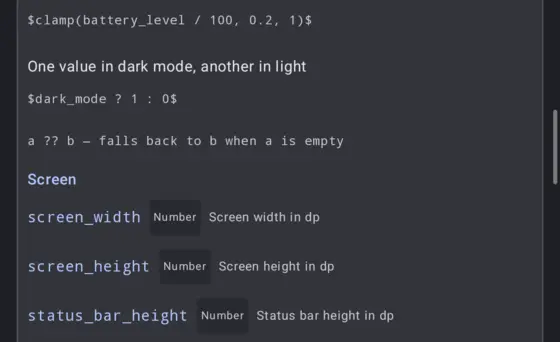
The complete list is on variables, the operations you can perform on them on functions. The editor offers the same catalogue in place, filtered to what fits the field you are editing. The Σ button beside a field opens it.
Operators#
+  -  *  /            arithmetic
==  !=  <  <=  >  >=  comparison
&&  ||  !             logic
? :                   conditional
??                    fall back when the left side is missing
?? is the one worth pointing out. $item_title ?? 'Untitled'$ uses the title when there is one and the fallback when there is not. It is shorter and safer than the if that would otherwise be needed for every optional value from a feed. Missing means empty text or a non-number, and nothing else: zero is not missing and false is not missing.
Text inside an expression must be quoted: '#FFFFFF', not #FFFFFF. The precedence table, the conversion rules and what happens when an expression is wrong are on the expression language.
Your own variables#
A theme can define its own values under globalVariables, and any element can change one at runtime with the set_variable action. That is the whole state mechanism: a tap writes a name, and every formula that reads that name re-evaluates.
An entry whose value is itself a formula becomes a computed value, which is the way to write a number once and have eleven fields follow it. That, and the rule about what a runtime value may never be, are on variables of your own.
"globalVariables": { "feed_filter": "" }"clickActions": "[{\"trigger\":\"tap\",\"action\":\"set_variable\",\"value\":\"feed_filter=news\"}]""filterFormula": "$feed_filter == '' || item_feed_id == feed_filter$"A chip row that filters a feed is those three lines. There is no event system beyond it, deliberately: a value that something wrote and something else reads is easy to follow when a theme misbehaves.
Things that move on their own#
Two functions produce a value that changes without anything else changing:
animate([1, 1.05, 1], 2000, true)walks through a list of numbers over a duration in milliseconds and repeats. It repeats unless you say otherwise: the third argument istruewhen you leave it out, soanimate([1, 1.05, 1], 2000)is a loop as well. Passfalseand it runs once, starting when the element appears, then stays at the last number in the list.spring(target, stiffness, damping)chases a target with spring physics, so a value that jumps arrives softly.
Use them where the movement is the point. Where movement should follow a gesture, use the gesture instead: page_position and page_scroll_fraction produce far better motion than any timed animation, because they follow the finger.
The animations field is the third way: a value driven by the clock, by an element appearing, or by a sensor, added on top of the property's formula.
Cost#
Formulas are evaluated while frames are being drawn, and a home screen that stutters is worse than one that is plain. Three habits keep it cheap:
- Read time no finer than you show it. A field containing
time_secondre-evaluates every second. A clock without seconds should not mention it. - Sensors are not free.
tilt_x,tilt_yandcompass_headingturn on hardware. A parallax effect on a wallpaper costs battery all day. For depth, useparallax_xandparallax_yinstead: they are smoothed, drift back to the middle, and cost nothing while the phone lies still. - Keep expressions short. Every expression has a ceiling on length, nesting depth and token count, and an expression that takes too long is paused rather than allowed to hold up a frame. The numbers are on limits; what the pause looks like from the outside is on the expression language.
Which formulas cost frames at all, and which cost them forever, is performance.
Documentation for launcher 0.1.0-alpha Android 12 and later last updated